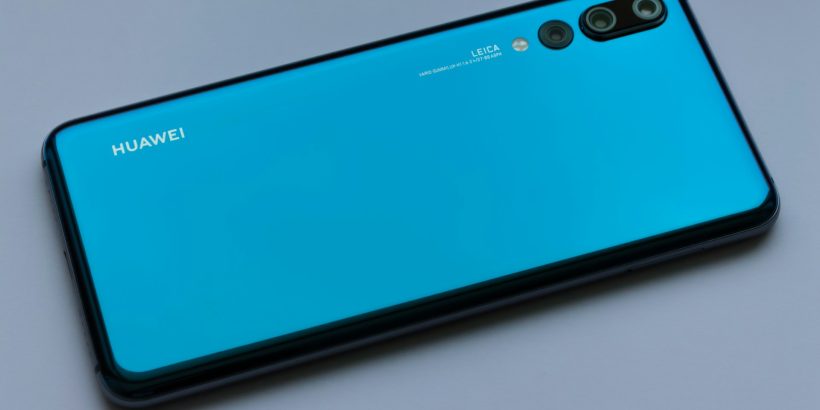
Back when the Mate 10 Lite dropped, it was positioned as the budget-friendly sibling to the flagship Mate 10 lineup. Sold virtually everywhere except the States, it was a fascinating snapshot of the mobile industry in transition. It rocked a 2:1 display—a taller departure from the standard 16:9 panels that had dominated the market right up until the year prior. Despite packing a 5.9-inch screen, the phone didn’t actually feel monstrous in the hand. It had the physical footprint of something like the OnePlus 5, purely because of that stretched aspect ratio. It wasn’t exactly a one-handed device, but it was surprisingly manageable.
The build quality was a testament to the era’s design shifts. The aluminum chassis felt incredibly solid, sporting curved edges reminiscent of the iPhone 6 through 8, paired with a completely flat back. The tactile click of the power and volume rockers on the right edge just felt right. Around the back, sitting perfectly flush in the center, was the dual camera array. Right below it lived the fingerprint scanner, and honestly, it was blazing fast. You could unlock the phone from standby with a single tap—a feature Huawei actually pioneered. The only real ergonomic gripe was that the scanner sat a little too close to the lenses, making it way too easy to smudge the bottom camera when you were just trying to unlock your device.
Speaking of the cameras, Huawei went all-in on the bokeh trend, slapping a 2-megapixel secondary depth sensor on both the front and rear arrays to mimic that shallow DSLR depth of field. But the phone wasn’t without its head-scratchers. Running EMUI over Android 7.0 Nougat, the software was heavily stylized, and the hardware had some distinct omissions. There was zero water resistance, so a spilled drink was a genuine hazard. And down at the bottom, sitting next to a single speaker and a thankfully retained headphone jack, was a microUSB port. Seeing that connector in 2018 was a massive letdown; outside the absolute bargain bin, USB-C was already the undisputed standard, and it felt like Huawei seriously cheaped out there.
Fast forward to today, and the conversation around Huawei has completely morphed. The hardware is still undeniably killer—whether you’re picking up a pair of FreeClip 2 earbuds, the FreeBuds Pro 5, or strapping a Watch GT 5 to your wrist. But the software experience? That’s where the friction kicks in. If you’re a standard Android user rocking a Pixel, Galaxy, or Motorola, you quickly realize you can’t just pull the companion apps from the Google Play Store anymore. Crucial control hubs like AI Life for your audio gear or Huawei Health for smartwatches are locked behind the company’s proprietary AppGallery.
Getting that ecosystem up and running on a non-Huawei device requires a bit of digital elbow grease. You essentially have to sideload the AppGallery yourself. You navigate to the official Huawei AppGallery portal in your mobile browser and hit download, which pulls the raw APK file onto your device. Android’s built-in security will inevitably throw up a red flag, prompting you to dive into your system settings—usually under Apps, then your specific browser—to toggle on the permission to Install unknown apps. Once you give it the green light, you crack open the APK, install the storefront, and log in with your Huawei ID. From there, you finally have a backdoor to grab AI Life and get your accessories dialed in.
Sometimes, though, getting the AppGallery running isn’t the end of the road. Depending on what you’re trying to sync—especially hardware that needs deep system communication like the Watch GT 5—the storefront might prompt you to install HMS Core. These Huawei Mobile Services are essentially the engine that makes their proprietary ecosystem talk to your standard Android framework. You just search it up in the AppGallery and hit install. It’s an extra hoop to jump through, sure. But once the dust settles, the AppGallery runs surprisingly well on third-party hardware, letting you keep your premium gear updated and fully functional without being entirely locked into their walled garden.